//
Privacy
Your conversations. Clear choices.
Earmark helps you work with meeting context. You should be able to understand how that context is captured, processed, stored, and shared before you use it.
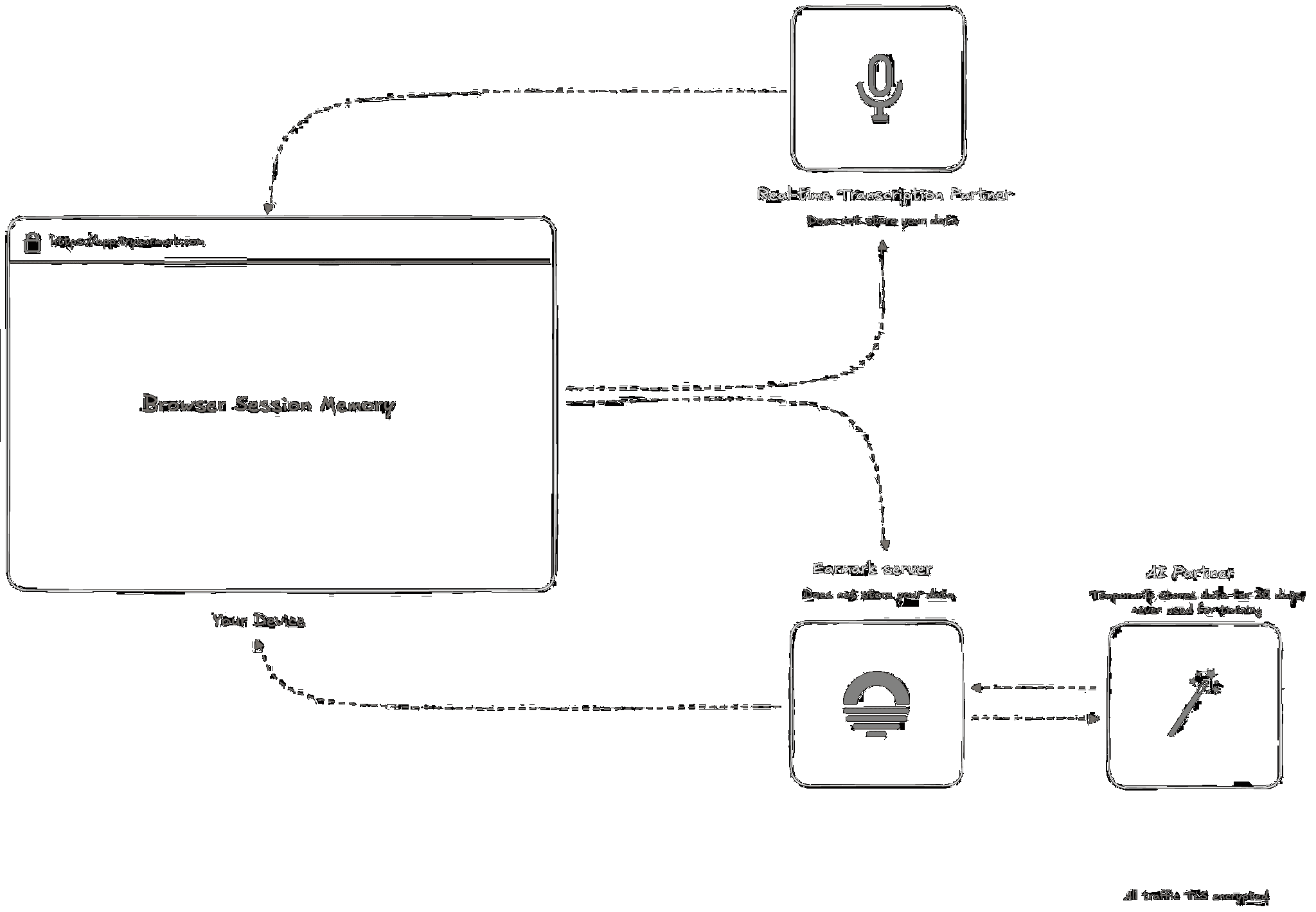
Captured on your device. Processed with providers.
The desktop app captures microphone and system audio and sends audio to AssemblyAI for transcription. Relevant meeting context is processed by our AI providers to produce requested outputs. Saving a transcript locally does not make processing local-only.
Standard meetings stay available until you delete them.
Earmark does not retain raw audio after transcription. Standard meeting transcripts and related content are stored in your workspace. Deleted meetings have a 30-day recovery period before permanent removal.
Some conversations should stay out of your history.
Turn on Temporary meeting before capture, or have an admin require it for new workspace meetings. Its transcript, tasks, and outputs are not saved to your Earmark account and disappear when you close it. Desktop auto-save may still keep a local transcript; that setting is separate.
Your meeting content is not training data.
Earmark does not train AI models on customer meeting content and contractually requires its AI partners not to do so. Processing providers may retain data for abuse monitoring, in some cases for up to 30 days. Temporary meetings do not override those provider policies.
Sharing is a choice.
Being in the same workspace does not give teammates access to your meetings. When you contribute a meeting to a shared Project, members can use its context in Chat and see supporting excerpts. They cannot simply open your meeting. Local files and copies you share outside Earmark have their own access rules.
Capture with the people in the room in mind.
Let participants know you are using Earmark and obtain any permissions required by your organization and applicable recording rules. Questions about processing, retention, or sharing? Contact security@tryearmark.com.